
Your emails and digital snapshots hold a lifetime of memories, conversations, and valuable financial records. Taking charge of your online accounts today ensures your family can cherish those memories without facing painful administrative roadblocks.
Google automatically erases neglected accounts after two years of complete inactivity, wiping out precious family photo albums and vital correspondence forever. Fortunately, you can prevent this loss with simple settings already built into your profile.
Setting up your digital legacy protects your privacy while gifting your loved ones effortless access to the moments that matter most. You can complete the entire process in just an afternoon.
Lifestyle Idea #1: Understand Google’s Two-Year Inactivity Clock
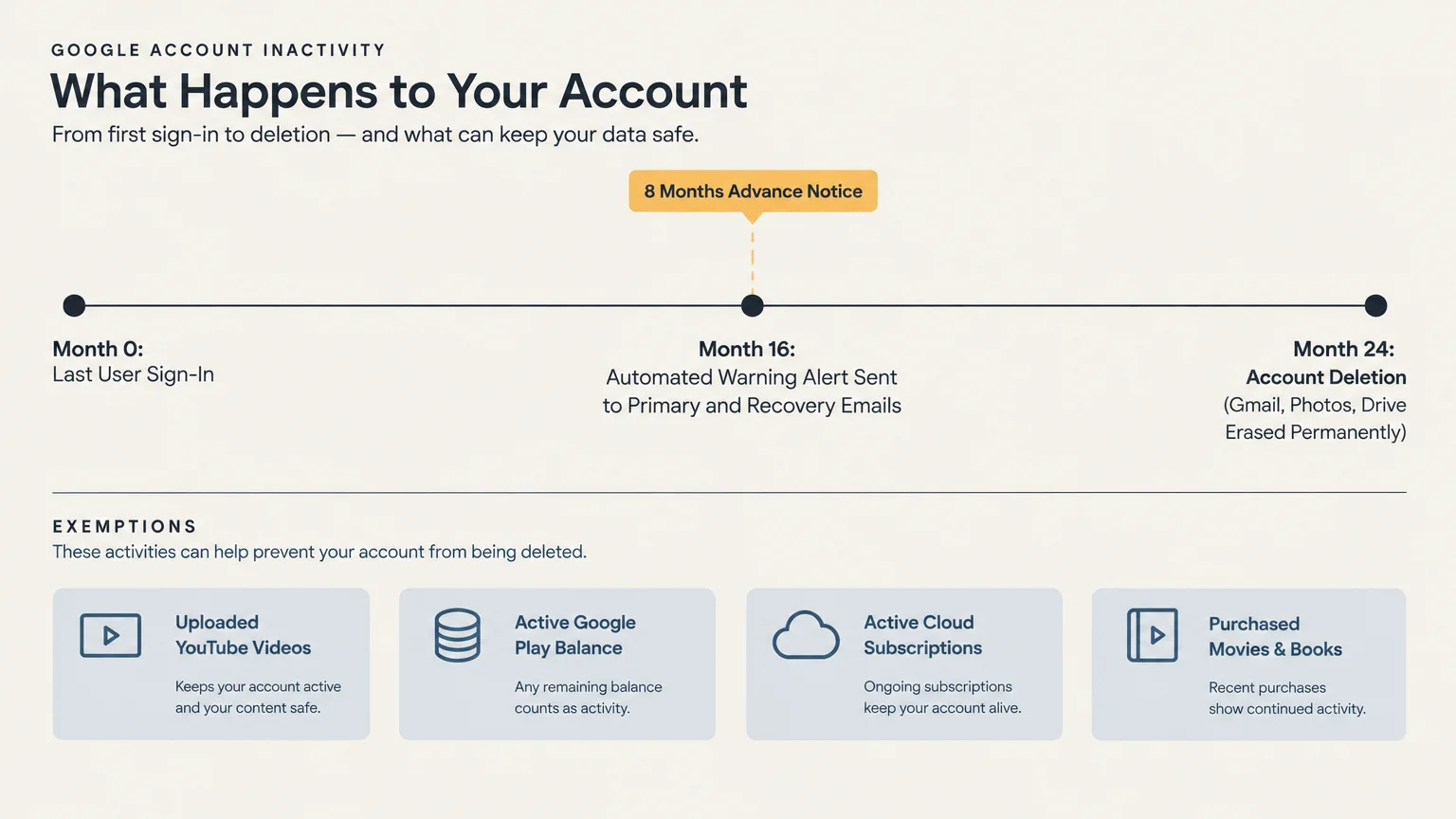
Google enforces a strict Inactive Account Policy that directly affects dormant profiles. Under this rule, Google reserves the right to delete any personal account left untouched for 24 consecutive months.
When this two-year clock runs out, Google permanently wipes everything associated with that profile. That means your Gmail inbox, Google Photos library, Drive spreadsheets, and personal calendar disappear forever.
Google does not delete accounts without ample warning. The platform sends automated reminder notices at least eight months before taking any action.
These alerts arrive at your primary Gmail address and your secondary recovery email addresses. If nobody monitors those inboxes, however, the warnings go unnoticed.
Certain accounts remain exempt from this automatic deletion policy. If your account hosts uploaded YouTube videos, Google leaves it active to preserve public content.
Accounts maintaining an active monetary balance on a Google Play gift card also remain safe. Ongoing subscriptions, such as news memberships or extra cloud storage, prevent automated account termination as well.
Purchased digital assets also shield your account from deletion. If you bought movies, television shows, or electronic books through Google Play, your account avoids the chopping block.
Without those exemptions, an abandoned account faces total eradication. Once Google deletes an account, nobody can ever recover that specific username or restore its data.
Google never recycles or reassigns deleted email addresses to new users. Taking inventory of your accounts now ensures your family will not lose irreplaceable digital property later.
Lifestyle Idea #2: Take Control with Inactive Account Manager
You do not have to leave the fate of your digital life to rigid deletion algorithms. Google offers a free, proactive planning dashboard called Inactive Account Manager.
You can access this tool directly inside your Google Account security settings. It lets you decide exactly when Google should consider your profile inactive.
You select your preferred waiting period from four choices: 3, 6, 12, or 18 months. If you log in regularly, you will never trigger this countdown timer.
Google protects you against accidental triggers during extended vacations or medical stays. The system sends an email alert and an SMS text message one month before your timer runs out.
This advance warning gives you ample opportunity to sign in and reset the clock. It guarantees that an extended cruise or tech-free holiday will not accidentally activate your legacy plan.
The dashboard also asks what should happen to your account after your contacts receive your files. You can instruct Google to permanently delete the account once your contacts finish downloading their copies.
If you choose automatic deletion, Google provides your designated contacts with a 90-day window to download your files. After three months, Google erases the entire account to safeguard your lifelong privacy.
Configuring Inactive Account Manager takes less than fifteen minutes; it brings immense peace of mind. You retain complete ownership of your data while creating a clear roadmap for the future.
Lifestyle Idea #3: Choose Your Trusted Digital Heirs Carefully
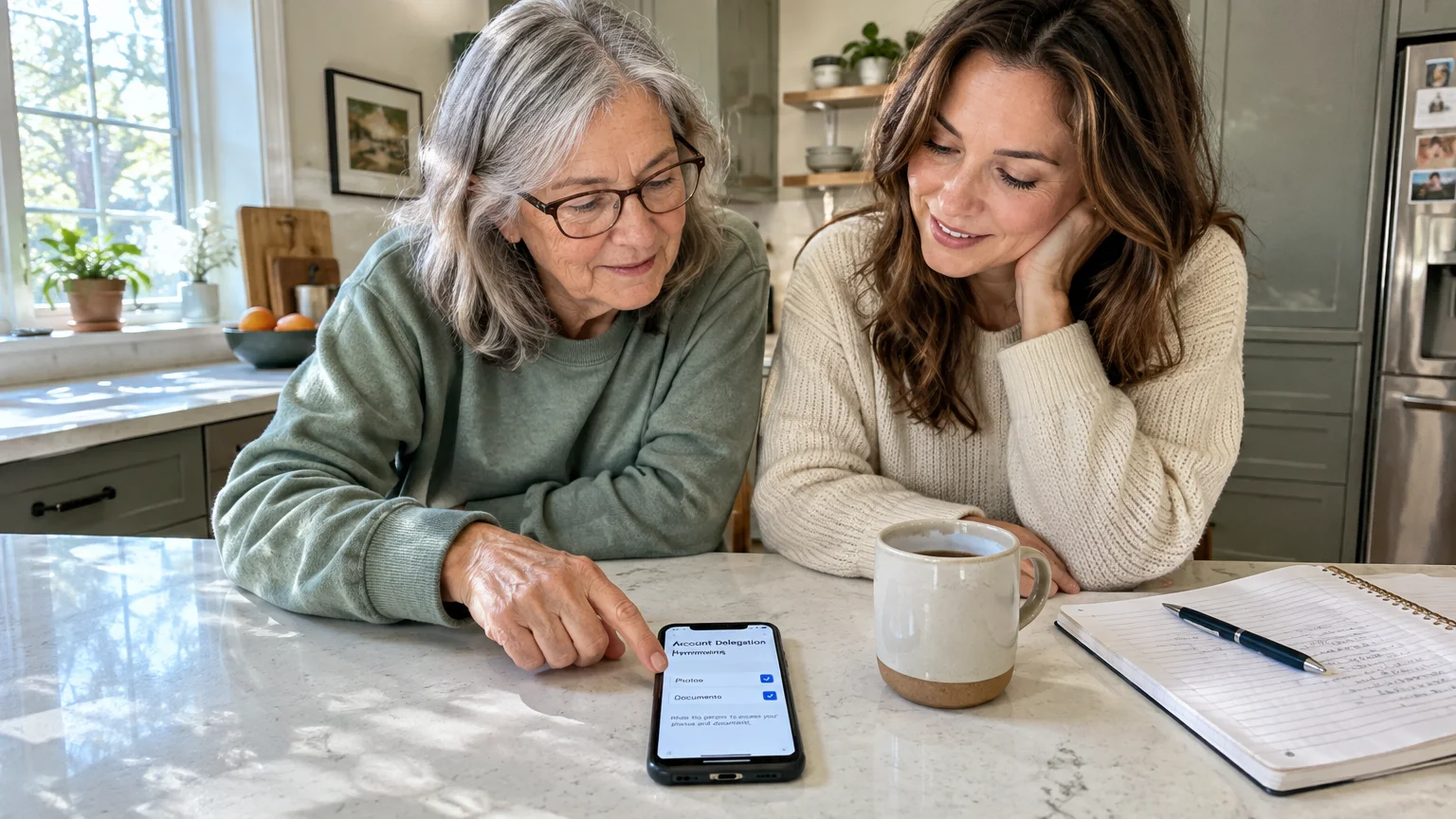
Selecting the right people to handle your digital affairs is a key part of modern estate preparation. Google allows you to designate up to 10 trusted contacts inside Inactive Account Manager.
These contacts can include your spouse, adult children, a sibling, or your appointed estate executor. You choose reliable individuals who possess the technical confidence to download digital files.
Google does not force you into an all-or-nothing data transfer. You selectively choose which services each person receives when the timer triggers.
You might share your entire Google Photos collection with your children so they preserve treasured memories. Simultaneously, you can keep your Gmail correspondence and financial spreadsheets completely private.
Google respects your boundaries during setup; the platform never notifies your contacts when you add them. They only learn about their designation if your account becomes inactive.
When the system activates, Google emails your contacts a secure download link. To access your data, each contact must enter a verification code sent directly to their mobile phone.
Google never reveals your password or grants direct login access to your account. Instead, contacts download an archive copy of your chosen files through Google Takeout.
This design shields your real-time accounts from unauthorized tampering while honoring your privacy. Discussing this role with your chosen heirs today prevents surprise and confusion down the road.
Lifestyle Idea #4: Curate and Protect Your Precious Photo Archives
Your photo library represents one of the most heartwarming legacies you can share with your family. Google Photos often holds thousands of pictures chronicling trips, holiday dinners, and grandchildren growing up.
A massive, unorganized photo archive can overwhelm grieving family members trying to find meaningful keepsakes. Organizing your digital library transforms a chaotic archive into a family heirloom.
Sort your best pictures into clearly labeled digital albums; label them by year, event, or family branch. Curating these albums makes browsing effortless and delightful for your heirs.
You can also use shared albums to distribute memories during your lifetime. When you share an album with your children today, those photos copy directly to their personal devices.
Shared albums remove the worry of sudden data loss because your family already possesses copies of the pictures. This simple habit keeps everyone connected while building a collaborative family history.
Consider creating a physical backup of your cloud photo library as well. You can download your complete photo archive through Google Takeout and store it on an external hard drive.
Place that external hard drive inside a fireproof safe alongside your physical estate documents. This double-layer approach protects your memories against accidental deletions, forgotten passwords, or cloud outages.
Sorting through classic family photos can become a deeply rewarding weekend hobby. You get to revisit beloved adventures while actively preserving your family heritage for future generations.
Lifestyle Idea #5: Align Your Digital Legacy with Estate Planning Laws
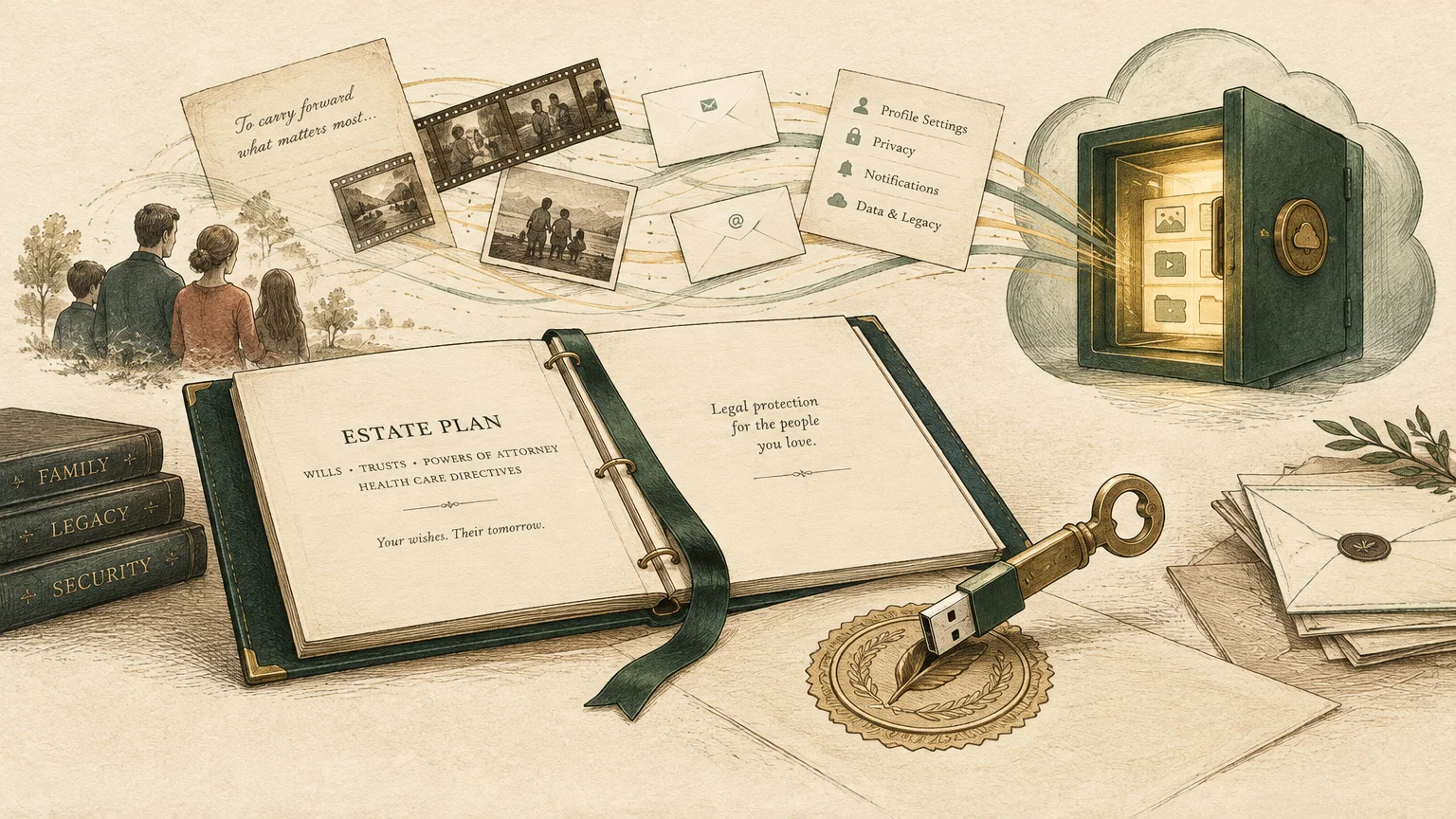
Traditional wills do an excellent job distributing physical property, but digital property operates under unique legal frameworks. In the United States, 48 states and Washington, D.C., follow the Revised Uniform Fiduciary Access to Digital Assets Act.
This law, commonly known as RUFADAA, establishes a strict three-tier legal priority system for digital assets. Understanding this hierarchy ensures your wishes actually take effect after you pass away.
Under RUFADAA, an online tool provided by a platform holds top legal priority. That means your settings in Google’s Inactive Account Manager override instructions written in a standard paper will.
If you never configure Inactive Account Manager, the legal system looks to the second tier: your traditional will or trust. Your will must explicitly grant your executor legal authority to access your digital assets.
If you leave neither tool settings nor explicit instructions in your will, the third tier applies. In that scenario, Google’s standard Terms of Service govern your account, which usually means total data lockdown.
Federal privacy legislation also restricts access to online accounts. The Stored Communications Act prohibits technology companies from voluntarily releasing private communications without explicit user consent.
Even if your spouse holds your master password, logging into your account after your death can violate federal law. The Computer Fraud and Abuse Act strictly regulates unauthorized account access.
Work directly with your estate attorney to incorporate specific digital asset language into your estate planning documents. Harmonizing your online settings with your legal paperwork protects your family from exhausting court battles.
Lifestyle Idea #6: Organize Passwords and Document Your Intentions
Leaving a confusing trail of passwords creates unnecessary stress for your family. Many seniors keep passwords on scattered sticky notes or in outdated desk journals.
Handwritten password lists quickly become obsolete whenever you update security credentials. A modern password manager offers a secure, organized alternative for tracking essential login details.
Quality password managers include an emergency access feature tailored for family members. This tool allows a trusted contact to request access if an emergency or death occurs.
You control the security parameters by setting a multi-day waiting window on emergency requests. If someone requests access while you are healthy, you easily decline the request with one tap.
Alongside your password manager, prepare a written digital asset letter of direction. This document outlines your inventory of online accounts, active subscriptions, and your explicit preferences for each profile.
Detail your device PINs, smartphone passcodes, and instructions for navigating two-factor authentication prompts. Store this document in a safe-deposit box or secure safe rather than sending it through unencrypted email.
Make sure your executor knows where to find your master emergency instructions. Providing clear guidelines eliminates stressful guesswork and lets your family focus on supporting one another.
Organizing your credentials also protects your estate from identity theft after your passing. Fraudsters often target dormant accounts, but an empowered executor can close accounts swiftly.
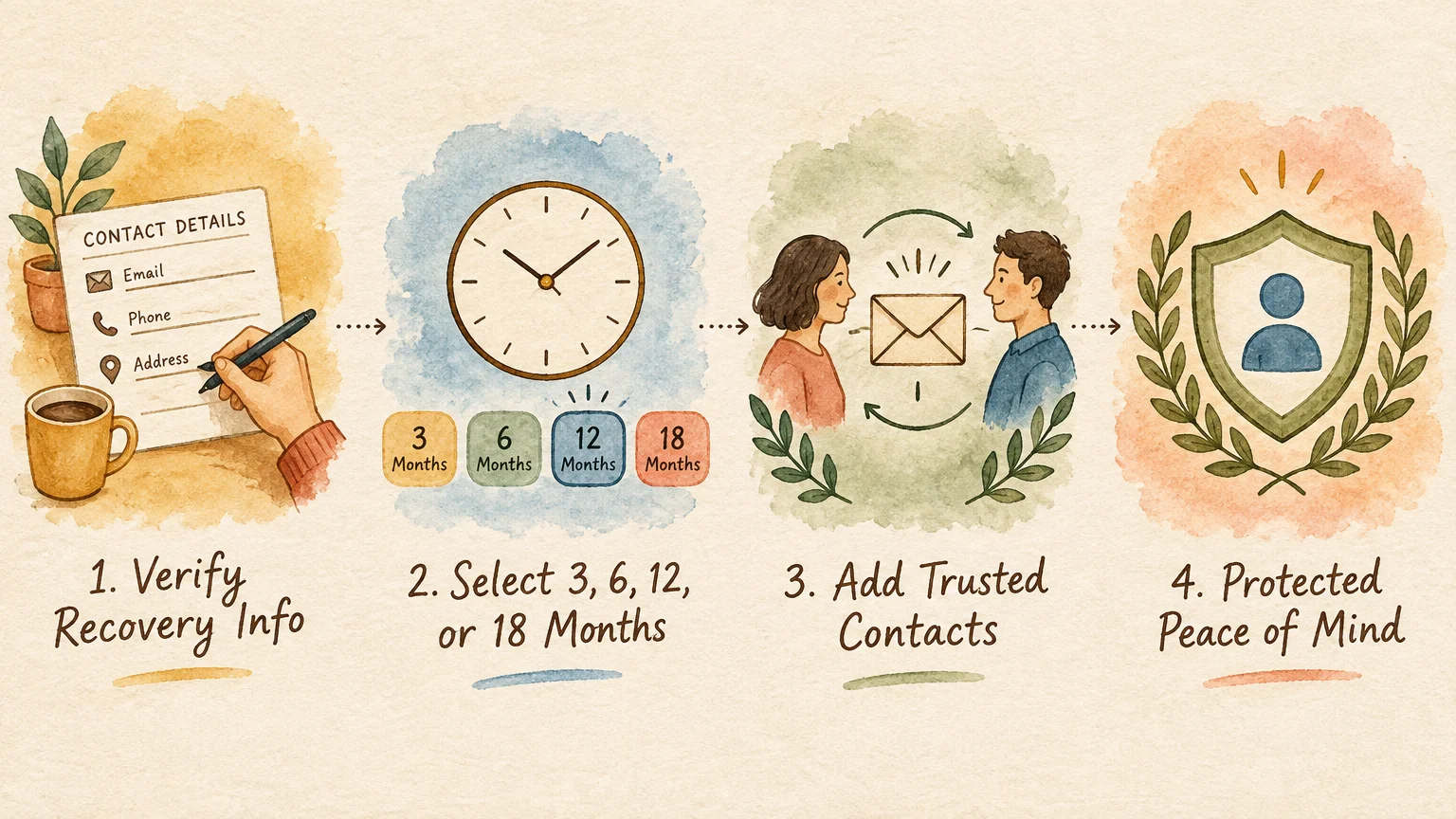
Putting It into Practice: Small Steps for Big Changes
Tackling digital estate management feels far more achievable when you break the project into small, manageable tasks. You do not need to finish everything at once; steady progress brings peace of mind.
Begin by checking your primary Google Account security settings today. Confirm that your current mobile phone number and alternate recovery email addresses are completely accurate.
Next, visit the Inactive Account Manager dashboard to establish your inactivity preferences. Select a timeframe that suits your lifestyle, whether that means three months or a full year.
Pick one or two primary trusted contacts to receive your data. Reach out to them by phone or over lunch to explain what the notification link means.
Spend an afternoon browsing through your Google Photos library to create a few curated family albums. Sharing an album of classic vacation pictures offers an easy way to celebrate happy memories together right now.
Make an appointment with your estate planning professional to review your digital asset provisions. Ensure your legal documents explicitly grant your executor power to manage digital property under RUFADAA guidelines.
Download an archive copy of your essential data using Google Takeout once every year. Store the backup files on a password-protected external drive kept safely at home.
Set a calendar reminder to review your digital settings annually. Your birthday month or tax season serves as a practical reminder to verify contacts, passwords, and security questions.
Taking these simple precautions transforms a potentially frustrating digital maze into a loving, organized gift. Your family will always appreciate your foresight, clarity, and thoughtful planning.
Frequently Asked Questions
Can my family just log into my account using my saved password?
While having your password might seem convenient, logging into a deceased person’s account can violate Google’s Terms of Service. In some jurisdictions, accessing an account without explicit legal authorization can trigger penalties under computer fraud laws.
Modern two-factor authentication also prevents simple logins by sending security codes to a phone your family might not be able to unlock. Using Inactive Account Manager provides a completely legal, approved method for transferring files safely.
What happens if I die without setting up Inactive Account Manager?
Your family must use Google’s formal deceased user request portal to ask for account closure or data access. This process requires submitting official death certificates, government-issued identification, and certified letters of estate representation.
In almost all cases involving requests for private emails or documents, Google requires a formal U.S. court order. Obtaining these legal orders takes substantial time and often costs thousands of dollars in legal fees.
Will my trusted contacts see my private emails immediately after I assign them?
No, your contacts cannot view any of your files or receive notifications during the initial setup process. Google only contacts them if your chosen period of inactivity expires without you responding to advance warnings.
Furthermore, your contacts only receive the specific data categories you choose to share. If you assign them access to Google Photos, they cannot read your Gmail messages or inspect your search history.
What happens to paid storage like Google One after an account owner dies?
Google One subscriptions remain active as long as the linked payment method continues to process monthly or annual fees. Once your bank accounts close during probate, the billing method fails and the subscription lapses.
Google does not immediately erase data when a subscription lapses, but you cannot upload new files or receive incoming emails. Setting up Inactive Account Manager ensures your family downloads vital files before billing lapses interrupt account functions.
For resources on retirement living, travel, and finance, visit AARP. Official information on Social Security is available at SSA.gov. For travel advisories, consult the U.S. Department of State.
Disclaimer: This article provides lifestyle suggestions for informational purposes. Financial, legal, or travel decisions should be made in consultation with qualified professionals.